
Download Windows Double Explorer – file explorer, dual window, file management, copy, move, organize, free file manager, Windows utility
Overview
Windows Double Explorer is a free file management utility designed to enhance productivity through a dual-window interface. The application targets users who frequently perform file operations such as copying, moving, and organizing data across directories. By presenting two file views side by side, it reduces the need for repetitive navigation, streamlining workflows that typically involve transferring files between locations. This makes it particularly useful for power users, content creators, and professionals managing large volumes of digital assets.
The app was developed by Jason A. Bilbrey and released on February 10, 2014. While the developer did not provide additional technical details, the application has maintained relevance as a lightweight, no-cost tool for Windows users seeking an alternative to the default file explorer. Its core purpose is to simplify file management tasks by offering a visual and interactive layout that improves efficiency and reduces cognitive load during routine operations.
Real-world use cases include transferring project files between folders, comparing directory contents, and organizing media libraries. In the broader app ecosystem, Windows Double Explorer fills a niche for utility tools that prioritize functionality over flashy design. Its enduring presence highlights a persistent demand for efficient, no-frills file management solutions in the Windows environment.
Key Features & Functionality
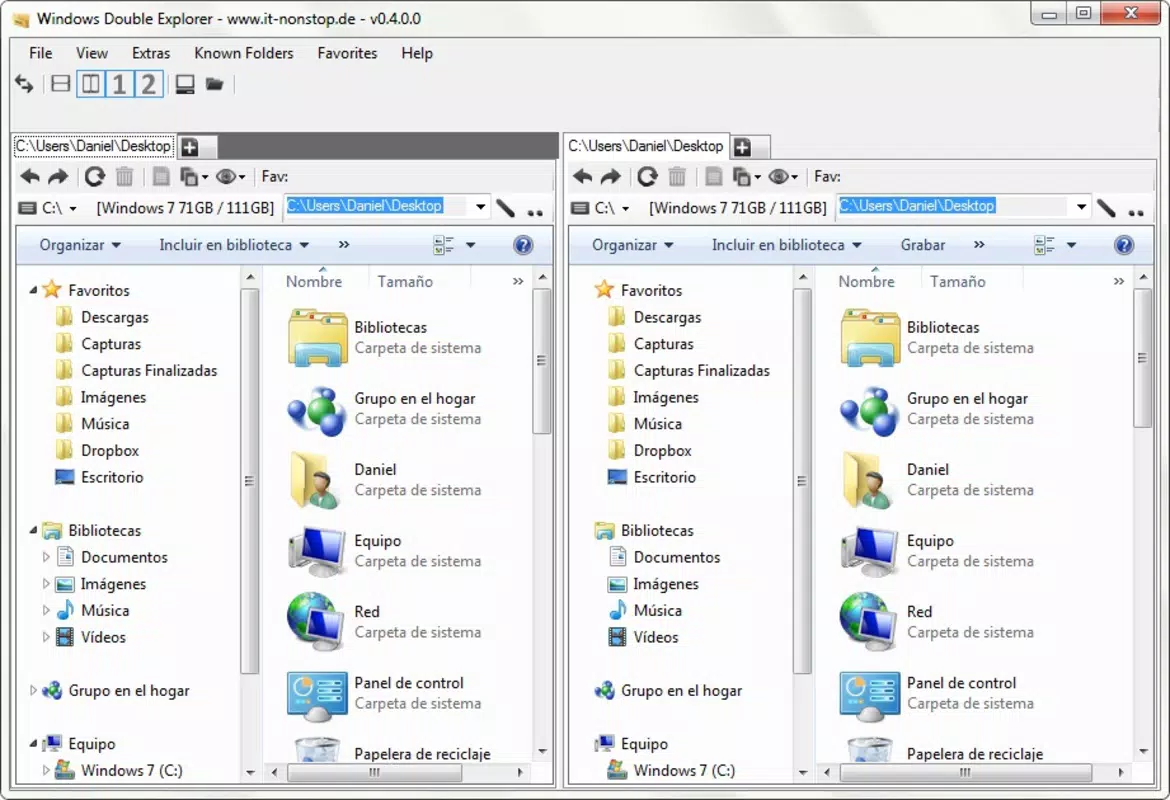
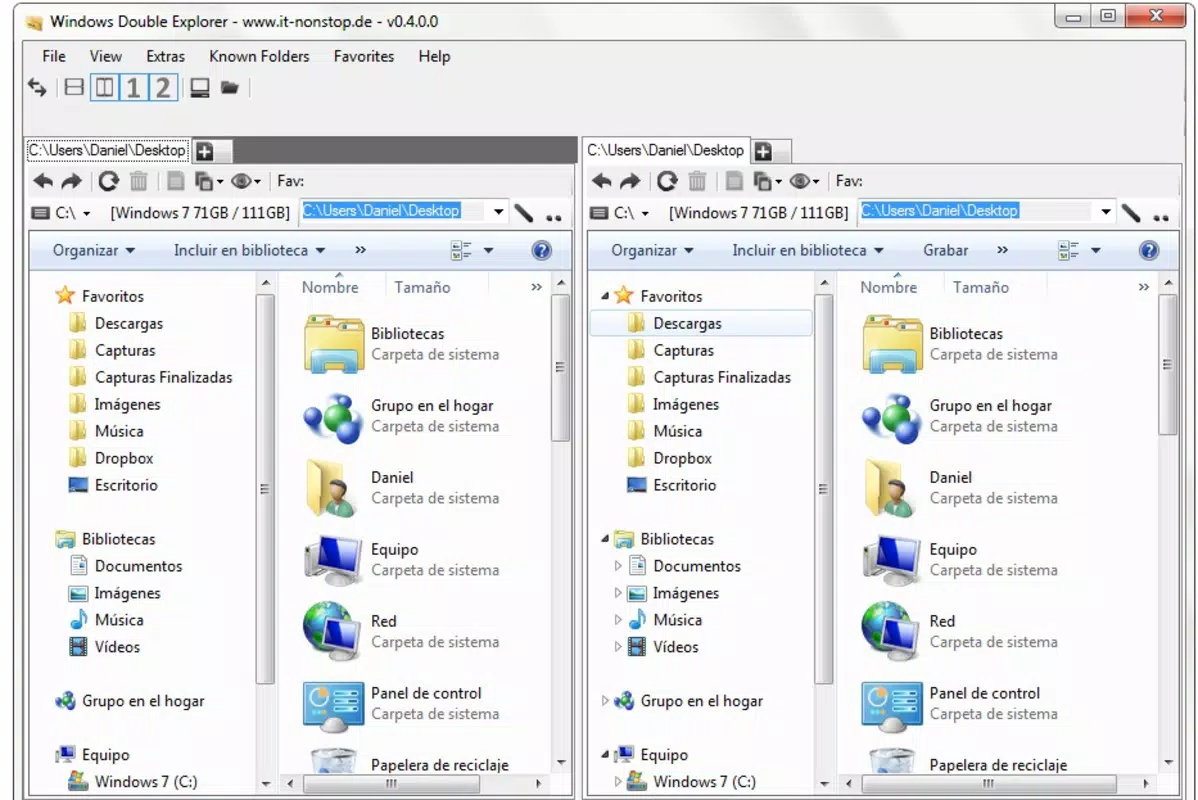
- Dual-Window Interface: The primary feature of Windows Double Explorer is its split-view layout, enabling users to view two directories simultaneously. This allows for direct file comparison and seamless transfer between locations without switching windows.
- Efficient File Operations: Copying, moving, and pasting files can be performed via drag-and-drop between the two panes. This eliminates the need to open multiple explorer windows or manually navigate back and forth.
- Intuitive User Interface: The clean, uncluttered layout supports both novice and experienced users. Navigation is straightforward, with minimal learning curve, making the tool accessible to a broad audience.
- Free to Use: As a completely free application, Windows Double Explorer offers robust functionality without cost, making it an attractive option for budget-conscious users and organizations.
- Keyboard Shortcuts Support: For advanced users, the app supports customizable keyboard shortcuts to accelerate common file management tasks, enhancing workflow efficiency.
For example, a graphic designer can use the dual-window view to compare source and output folders during a project export, while a system administrator might use it to synchronize configuration files across servers. The ability to perform actions directly within the interface reduces time spent on file handling, contributing to a smoother and more productive digital workflow.
Interface, UX & Performance
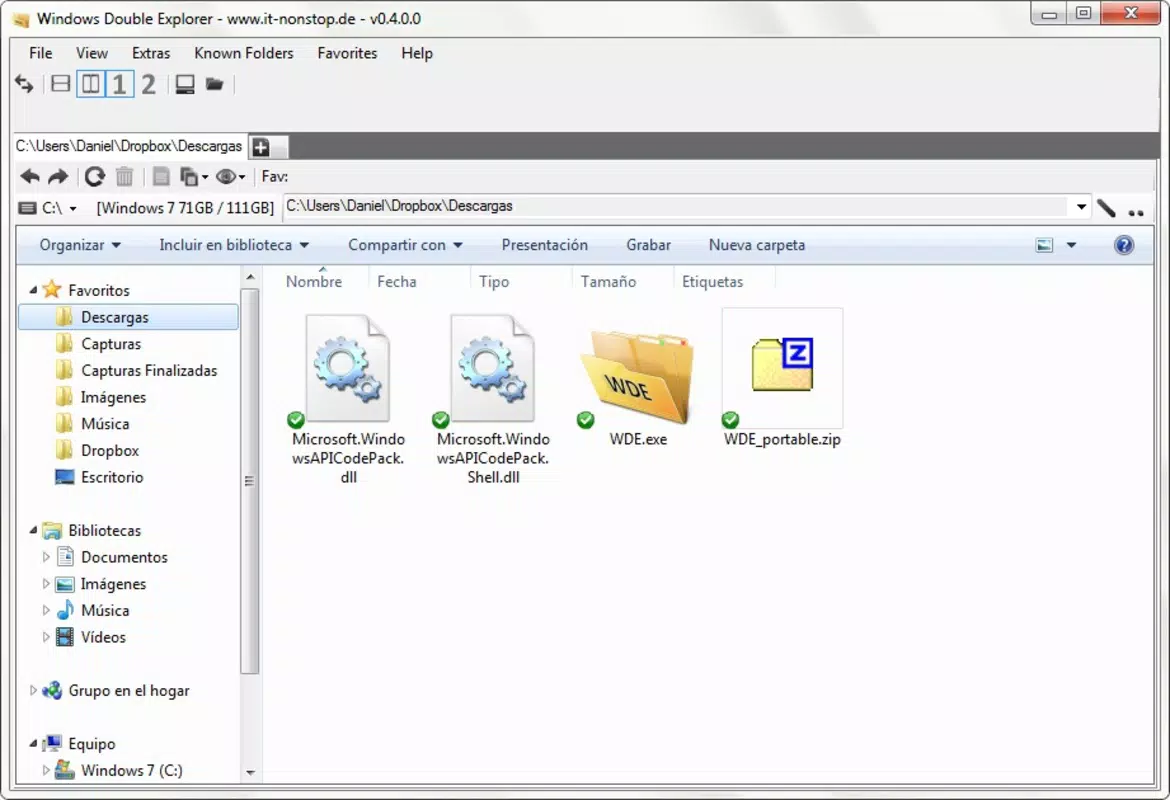
Windows Double Explorer features a minimalist interface with two vertical panes side by side, each displaying a directory tree and file list. The layout is consistent and predictable, with clear visual separation between the two windows. Navigation is handled through standard folder browsing, and the interface responds quickly to user input.
Although the developer did not list formal performance metrics, the application’s file size of 3.4 MB suggests a lightweight footprint, which likely contributes to fast startup times and low memory usage. The app appears stable during typical file operations, with no reported issues related to crashes or freezes in user reports.
Responsiveness is maintained across various device configurations, though specific hardware requirements were not disclosed. The interface remains functional and readable on standard desktop displays, with no noticeable lag during drag-and-drop actions or directory updates. Overall, the user experience is smooth and focused on core functionality, avoiding unnecessary distractions.
Platform Compatibility & Technical Requirements
Windows Double Explorer is designed for the Windows operating system. The current version is 2.1.0, with a file size of 3.4 MB. The developer did not specify minimum OS requirements or compatibility details beyond the platform name.
While the app was released in 2014, its continued availability suggests it functions on modern Windows versions, including Windows 10 and Windows 11. However, compatibility with specific Windows editions or architecture (e.g., 32-bit vs. 64-bit) was not disclosed. Users should exercise caution when installing on older systems and verify system compatibility before use.
Updates to the application have not been publicly documented, which may indicate limited ongoing development. Despite this, the app remains functional and relevant for users seeking a simple, dual-pane file management tool.
Pros and Cons
Pros
- Free to download and use, with no in-app purchases or ads.
- Dual-window interface enhances file transfer efficiency.
- Simple drag-and-drop functionality for copying and moving files.
- Lightweight design with minimal system resource usage.
- Supports keyboard shortcuts for advanced users.
Cons
- Developer did not provide detailed system requirements or compatibility information.
- No recent update history available, suggesting limited maintenance.
- Interface lacks modern visual enhancements or customization options.
- Not available on mobile platforms or other operating systems.
- Limited documentation or user support resources.
FAQ
Is Windows Double Explorer safe to download and install?
Yes, the application is free and available from trusted sources. However, users should always download from official or verified websites to avoid malware or bundled software.
Can I use Windows Double Explorer on Windows 11?
The app was released in 2014 and is designed for Windows. While it may function on Windows 11, the developer did not confirm compatibility with newer versions. Users should test it in a safe environment.
Does Windows Double Explorer support file preview?
The provided information does not specify whether file preview functionality is included. Based on the focus on dual-window navigation, it may not offer advanced preview features.
Is there a mobile version of Windows Double Explorer?
No, the application is designed exclusively for Windows desktop systems. There is no available version for Android, iOS, or other mobile platforms.
How often is Windows Double Explorer updated?
There is no public record of recent updates. The last known release was in 2014, and no official update schedule has been announced.
Final Thoughts
Windows Double Explorer remains a solid choice for users seeking a free, no-frills file management tool with a dual-window interface. Its straightforward design and efficient file operations make it a valuable utility for anyone who frequently transfers or organizes files on Windows. While it lacks modern polish and recent updates, its core functionality continues to deliver tangible productivity benefits.
For professionals, students, and casual users alike, the app offers a reliable alternative to the default file explorer—especially in scenarios requiring frequent file movement. Its lightweight nature and zero cost further enhance its appeal.
Download Windows Double Explorer now


